
Users
Users
The System → Users section allows an administrator to manage user accounts with access to the application.
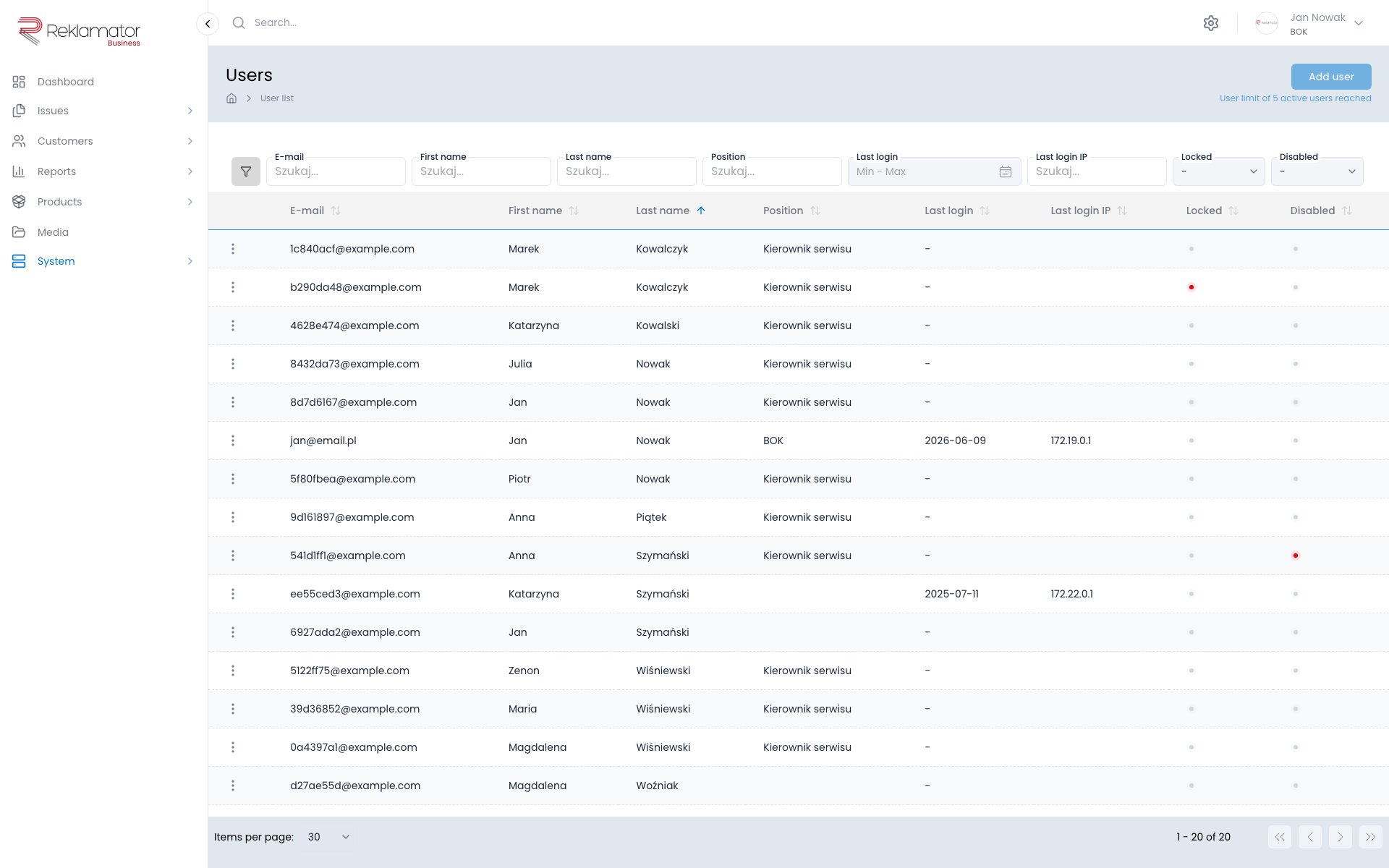
Creating a user
Click Add user and fill in the form. After saving, the user will receive an email with a link to set their password.
User data
The user details page contains:
- Account — email address (login), last login date, IP address, failed login attempts
- Personal data — first name, last name, phone, position, manager, photo
Permission groups
A user can belong to multiple permission groups. Groups define what operations the user can perform in the system. Groups are managed under System → Groups.
Issue types
A user can be restricted to specific issue types.
Organisational units
A user can be assigned to one or more organisational units. Units determine which issues, customers, and resources the user has access to.
Customers, distributors, and services
Customer records can be assigned to a user in three separate categories:
- Customers — direct customers assigned to the user
- Distributors — distributors assigned to the user
- Services — service entities assigned to the user
Suspending an account
An account can be suspended using the Account suspended toggle in the additional settings section. A suspended account has no access to the system and does not count toward the active user limit.
Note
A suspended account is not deleted — the user's data and operation history remain in the system. Re-activating the account restores full access.
FAQ
How does a user change their password?
A user can change their password in their profile or use the password reset option on the login screen.
Can I change a user's email address?
Yes, the email address can be edited on the user's profile page. After the change, the user logs in with the new address.
Can a user belong to multiple permission groups?
Yes. Any number of groups can be assigned to a user — permissions are cumulative.
What happens to issues when I suspend a user?
Issues assigned to a suspended user remain in the system unchanged. They should be manually reassigned to another person.
What is the difference between a suspended and a locked account?
A suspended account is disabled manually by an administrator. A locked account is locked automatically after too many failed login attempts.
Can a user be deleted?
Yes, a user can be deleted. The operation is irreversible — if you want to keep the user's history, suspend the account instead of deleting it.