
System logs
System logs
System logs record technical application events — message sending errors, integration issues, and other infrastructure events. They are available under Logs → System logs.
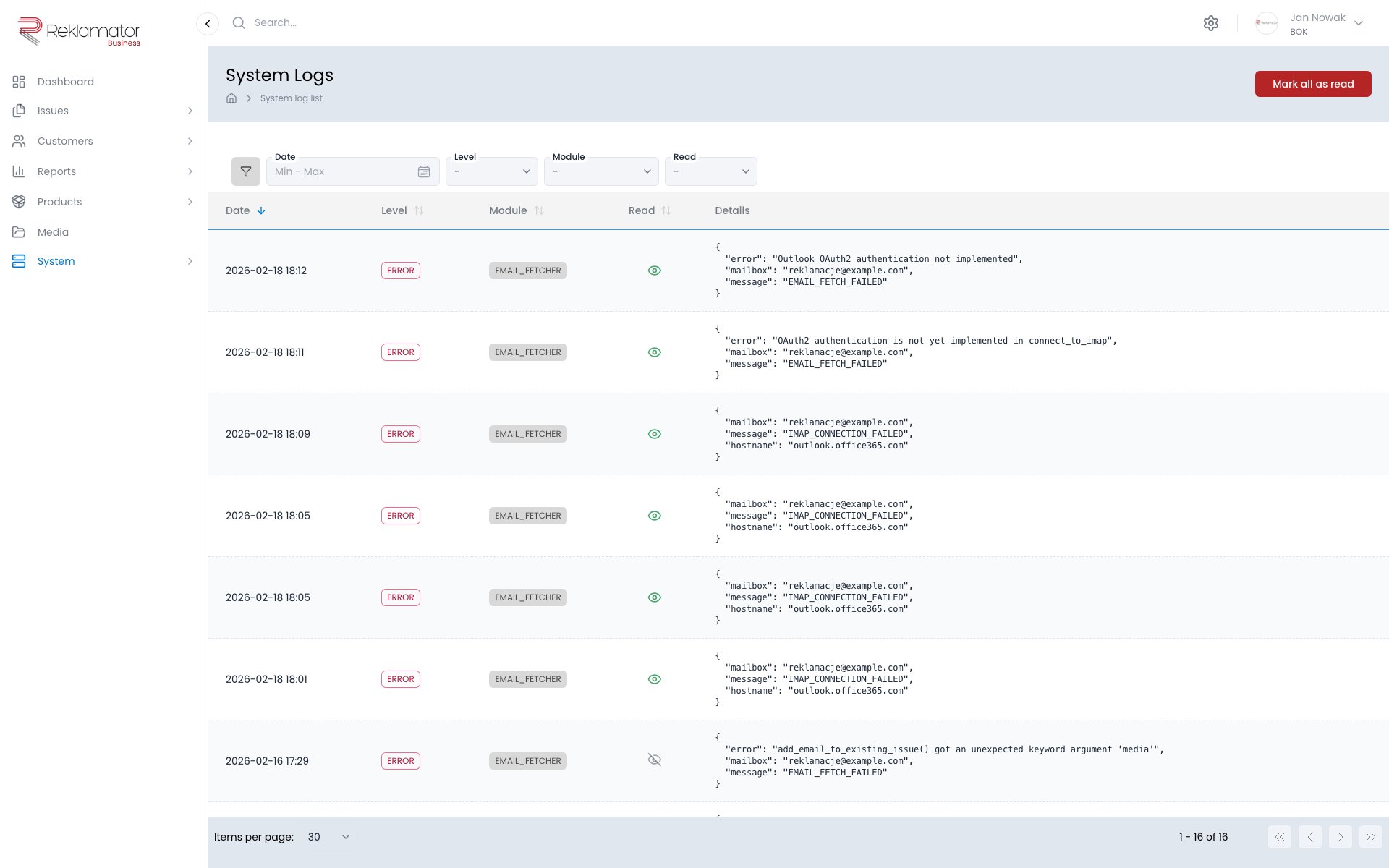
Columns and filters
| Column | Description | Filter |
|---|---|---|
| Date | Date and time of the event | Date range |
| Level | Event severity | INFO, WARNING, ERROR |
| Module | Component that generated the entry | EMAIL, EMAIL_FETCHER, SMS, PUSH, WEBHOOK, USER |
| Seen | Whether the entry has been marked as read | Yes / No |
| Details | Technical event data in JSON format | — |
Log levels
| Level | Description |
|---|---|
| INFO | Information about normal operation |
| WARNING | Warning — an operation completed differently than expected |
| ERROR | Error — an operation failed |
Modules
| Module | Description |
|---|---|
| Email message sending | |
| EMAIL_FETCHER | Fetching messages from inboxes |
| SMS | SMS message sending |
| PUSH | Push notifications |
| WEBHOOK | Webhook calls |
| USER | User-related events |
Marking entries as read
Individual entries can be marked as read. The Mark all as read action is also available.
FAQ
Who has access to system logs?
Access is granted by an administrator through group permissions.
What does the system log record?
Technical application events: email and SMS sending errors, inbox fetching problems, webhook errors, and other infrastructure events.
Does the system log record user actions on issues?
No. Changes to issues (field edits, step transitions) are recorded in the history of individual issues. System logs cover technical events only.
How do I read the Details column?
The column contains technical event data in JSON format — for example the error message, the email address involved, or the identifier of the affected object.
What should I do when many ERROR entries appear?
Check the module and entry details — the most common causes are misconfigured SMS or email providers, inbox connection problems, or an unavailable external service.