
Operations & workflow
Operations & workflow
The operations and transitions panel is visible on the issue details page. Available options depend on the current step, workflow configuration, and user permissions.
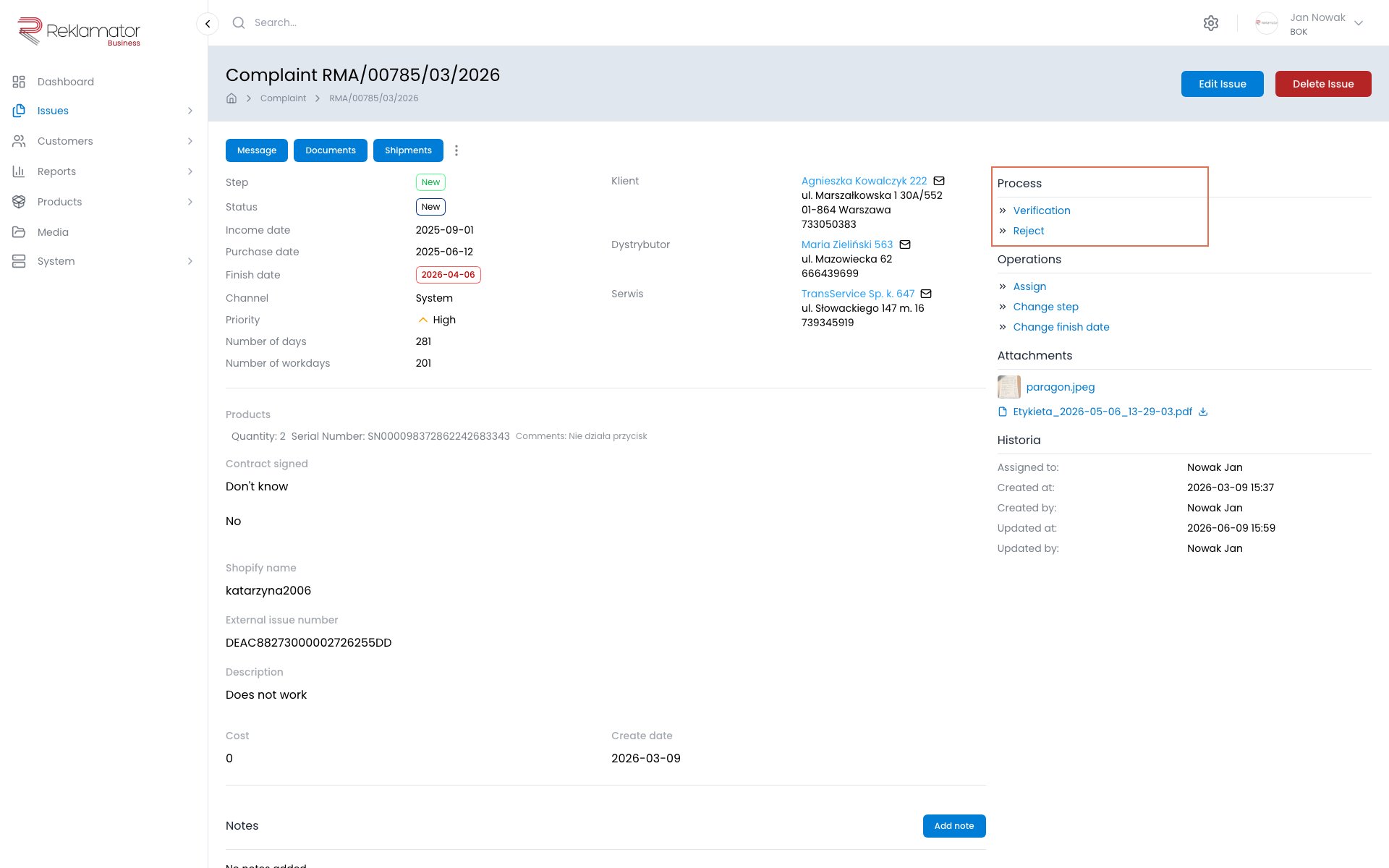
Operations
Operations are contextual actions available for the issue regardless of the current workflow step:
| Operation | Description |
|---|---|
| Assign to me | Instantly assigns the issue to the logged-in user |
| Assign | Assigns the issue to a selected user; an optional note can be added |
| Change step | Moves the issue to any workflow step (requires a specific permission); a responsible user and optional note can be specified |
| Change deadline | Sets or changes the issue completion date; a reason for the change is required |
Transitions
Transitions are configured step changes available from the current workflow step. Unlike the Change step operation, transitions represent the planned process flow — only transitions permitted from the current step are shown.
Clicking a transition opens a form where you can specify the user responsible for the next step and optionally add a note. After confirmation, the system records the change in the workflow history.
Workflow history
The Workflow history tab on the issue details page shows the full sequence of step transitions: who moved the issue, when, and from which step to which.
FAQ
What is the difference between "Change step" and a transition?
Change step is an administrative operation that allows jumping to any step (requires a specific permission). Transitions are planned moves defined in the workflow configuration — only those permitted from the current step are shown.
Can I undo a step change?
Yes, if the workflow configuration defines a transition back to the previous step. The ability to reverse steps depends on the administrator's configuration.
How do I know which operations and transitions are available?
The panel only shows operations and transitions available for the current step and your permissions. If an option is not visible — it is not available in that context.
What happens when I execute a transition?
The system moves the issue to the next step, records the change in the workflow history, updates the issue status, and may automatically trigger business rules (e.g. send an email notification).
Does assigning an issue change its step?
No. Assignment only changes the person responsible for the issue and does not affect the workflow step.
Why does "Change deadline" require a reason?
The reason for the deadline change is recorded in the issue history, allowing all deadline modifications and their justifications to be tracked.