
Attachments
Attachments
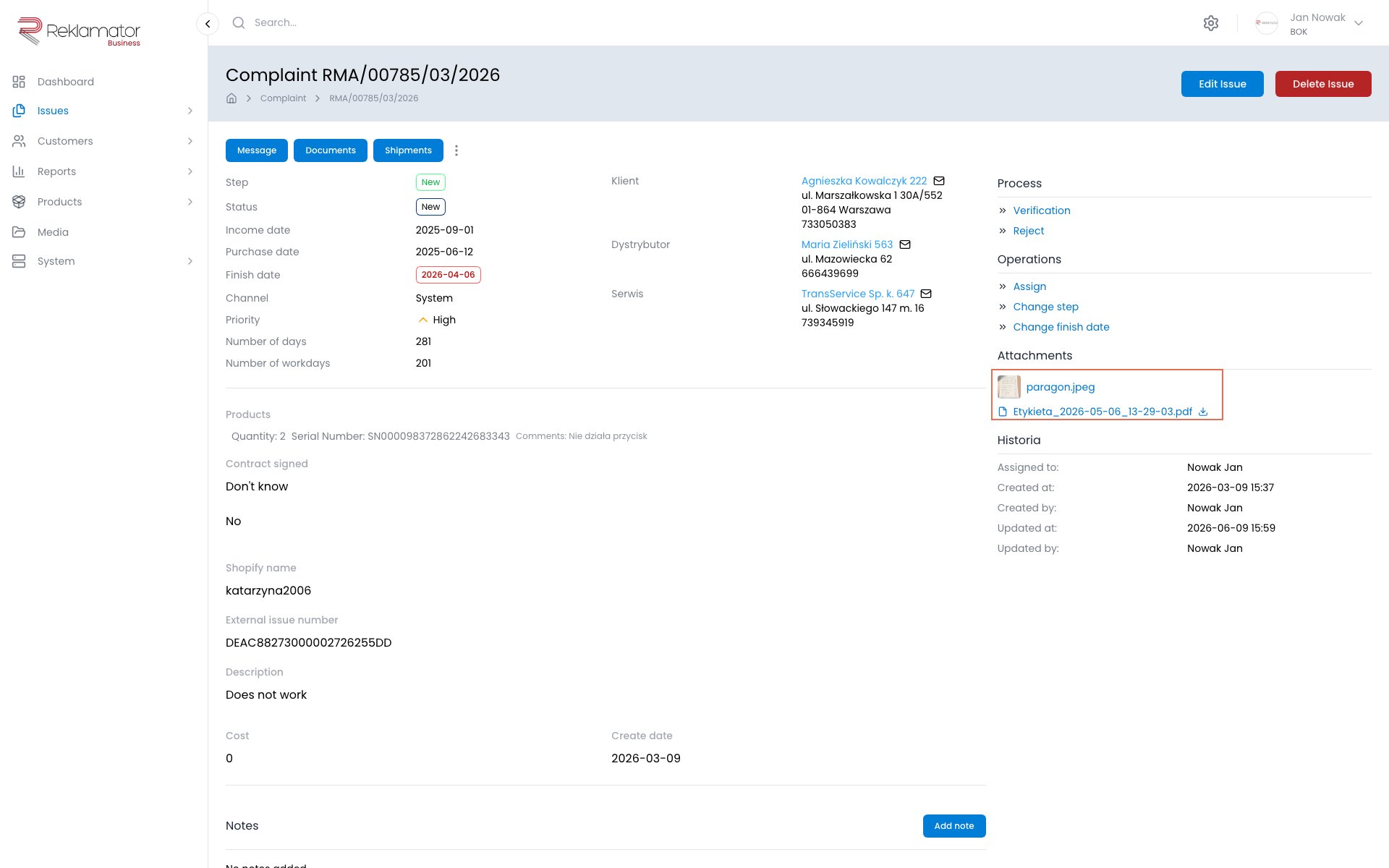
The Attachments section on the issue details page allows storing files related to the issue — photos, documents, invoices, reports, etc.
Adding files
Attachments can be added when creating an issue or in edit mode. Files are added by dragging them onto the upload area or by clicking and selecting from disk.
Limits:
- max. 10 files per operation
- max. 20 MB per file
Supported formats: images (JPG, PNG, GIF, WebP, HEIC and others), video (MP4, AVI, MOV and others), documents (PDF, DOCX, XLSX, PPTX, TXT, ODT, ODS), and ZIP archives.
Preview and download
Images and videos display a thumbnail and can be opened in a preview (zoom, video playback). Other formats display a file icon and can be downloaded by clicking the file name.
Deleting
Files can be deleted in the create or edit form. On the issue details page, attachments are visible in read-only mode.
Storage limit
The total storage space for attachments is limited and depends on your plan. See the pricing page for details.
FAQ
Is there a file size limit?
Yes — the maximum size of a single file is 20 MB. Up to 10 files can be added at once.
When can I add attachments to an issue?
When creating an issue or in edit mode. From the issue details page you can view and download files, but not add new ones.
How do I delete an attachment?
Open the issue in edit mode — a delete button is available next to each file.
Can customers add attachments themselves?
Yes, if the issue was submitted through a public form that allows file uploads.
Can I download all attachments at once?
No, files are downloaded individually.
How much storage do I have for attachments?
The total storage space for attachments depends on your plan. See the pricing page for details.
How do I control whether customers can download attachments?
This setting is available in the Status page configuration for the given issue type.