
Customers
Customers
The Customers module allows managing the customer database — companies and individuals linked to issues.
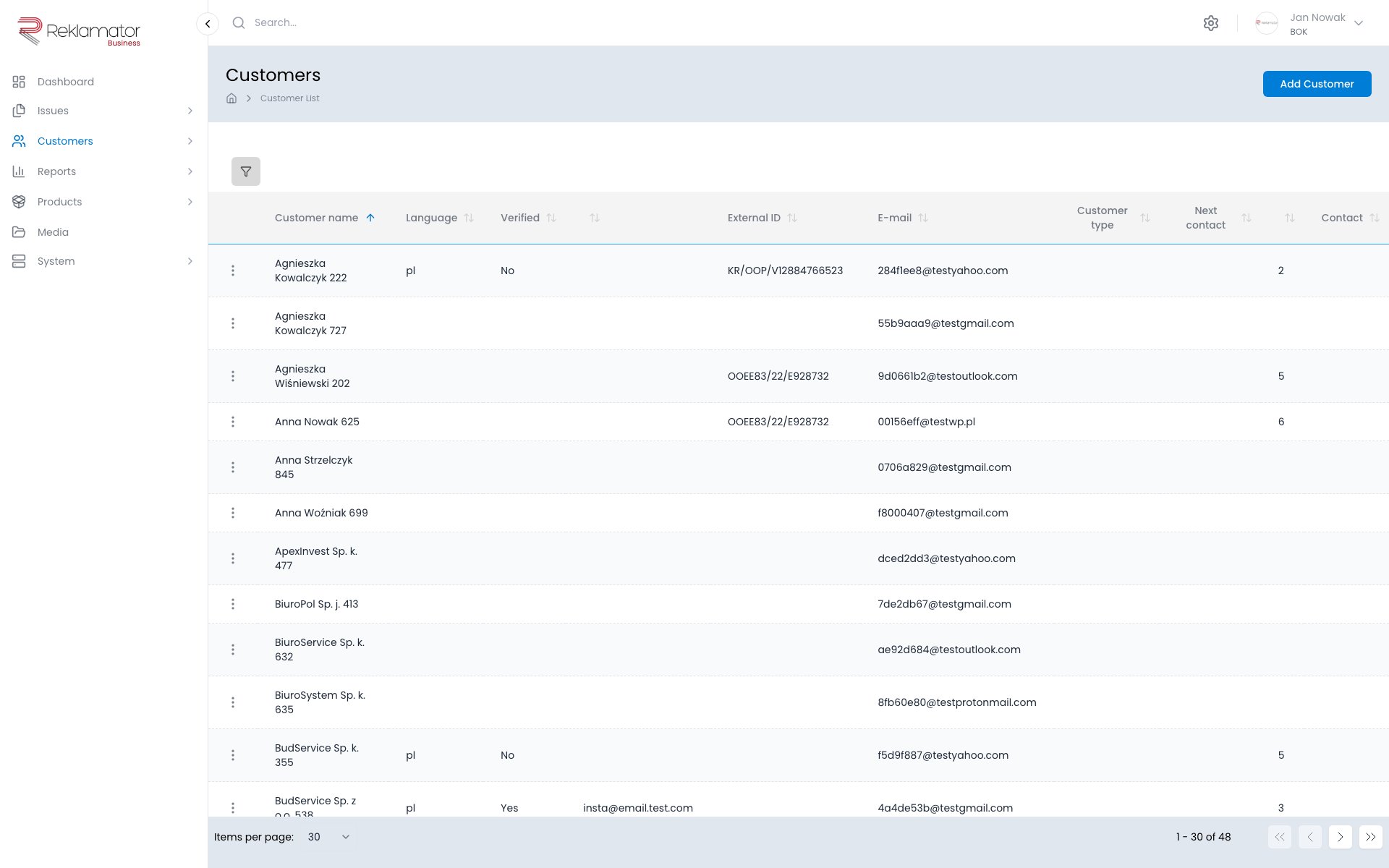
Customer list
The list is accessible from the main menu under Customers → Browse. It supports searching by name, VAT number, email, customer code, and other fields.
Customer details
The customer details page contains:
- Customer data — dynamic fields configured by an administrator (e.g. name, VAT number, email, phone, website, description)
- Contact persons — contacts assigned to the customer
- Addresses — addresses assigned to the customer
Adding a customer
Click Customers → Add in the menu or the Add customer button on the list. Fill in the required fields and save.
Customer types
Customers can be assigned to types defined by an administrator (e.g. Wholesaler, Retailer, Individual).
The list of types is managed by an administrator under Customers → Customer types. Each type has a name (multilingual) and an active status. Types can be added, edited, and deleted.
Addresses
Each customer can have multiple addresses. Each address has an assigned type:
- Main
- Installation
- Correspondence
- Branch
- Shipments
- Billing
- Other
An address can also include geographic coordinates (latitude and longitude). Inactive addresses are marked with an appropriate indicator.
Contact persons
Any number of contact persons can be assigned to a customer. Each contact has a first name, last name, optional email and phone, description, and a contact type, for example:
- Complaints, Service, Support
- Sales, Finance, Accounting
- Logistics, Technical, Notifications
FAQ
Can one customer have multiple addresses?
Yes. The customer profile supports multiple addresses of different types — main, correspondence, branch, shipments, and others.
Can I assign multiple contact persons to a customer?
Yes. Any number of contacts with names, contact details, and a contact type can be added in the Contact persons tab.
What fields does a customer have?
Customer fields are dynamic — an administrator configures them in the App fields section. They may include name, VAT number, email, phone, customer code, website, description, and custom fields.
Does deleting a customer delete linked issues?
No. Issues are retained regardless of operations performed on the customer.
How do I search for a customer by VAT number?
Enter the VAT number in the search field on the customer list. The system supports searching across multiple fields, including VAT number, name, email, and customer code.