
Groups & permissions
Permission groups
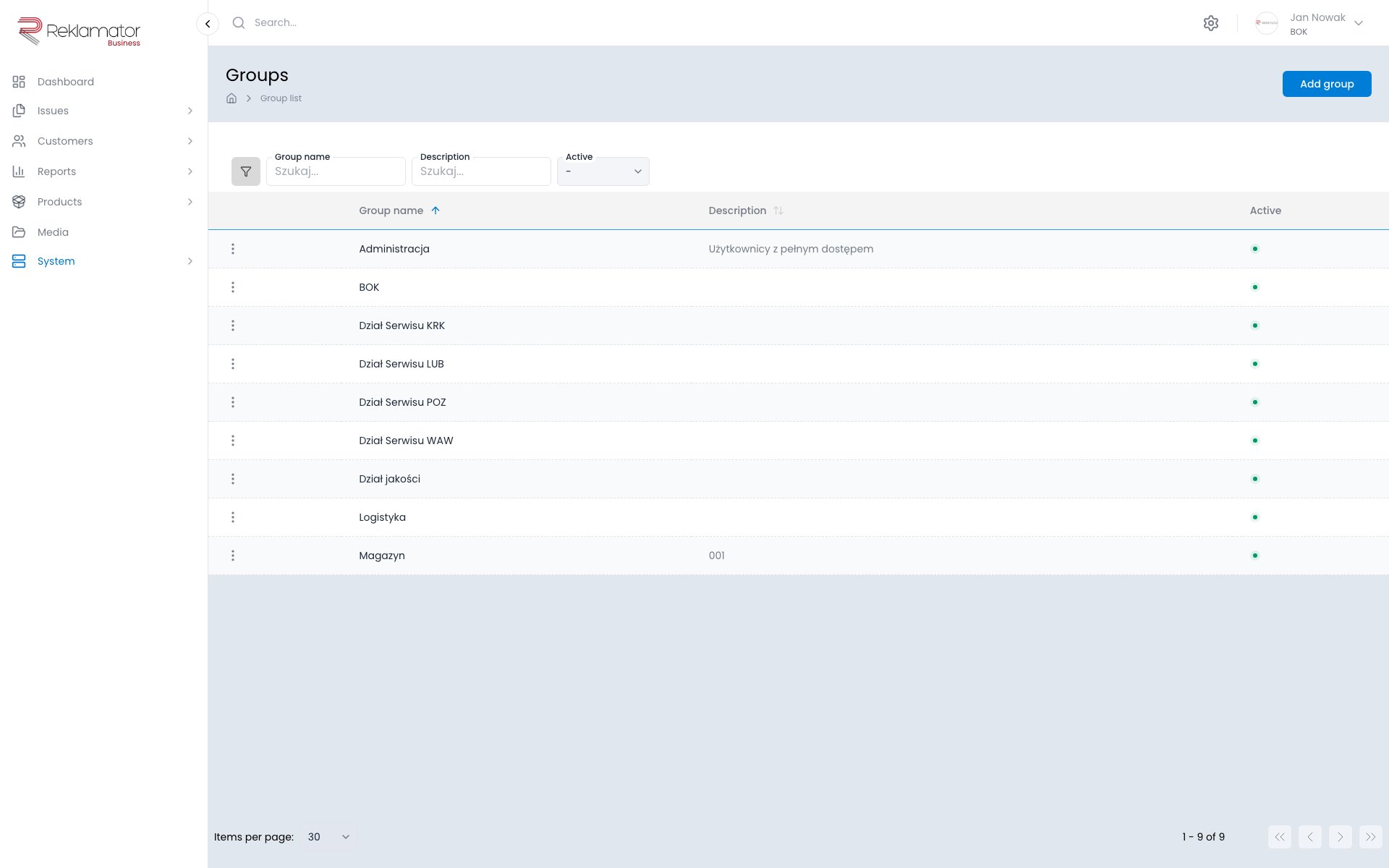
Permission groups define what users can do in the system. A user can belong to multiple groups — permissions are cumulative. The section is accessible under System → Groups.
Creating a group
Click Add group, give it a name and an optional description, set the active status, and save. Then open the group's details page and click Group permissions to configure access.
Configuring permissions
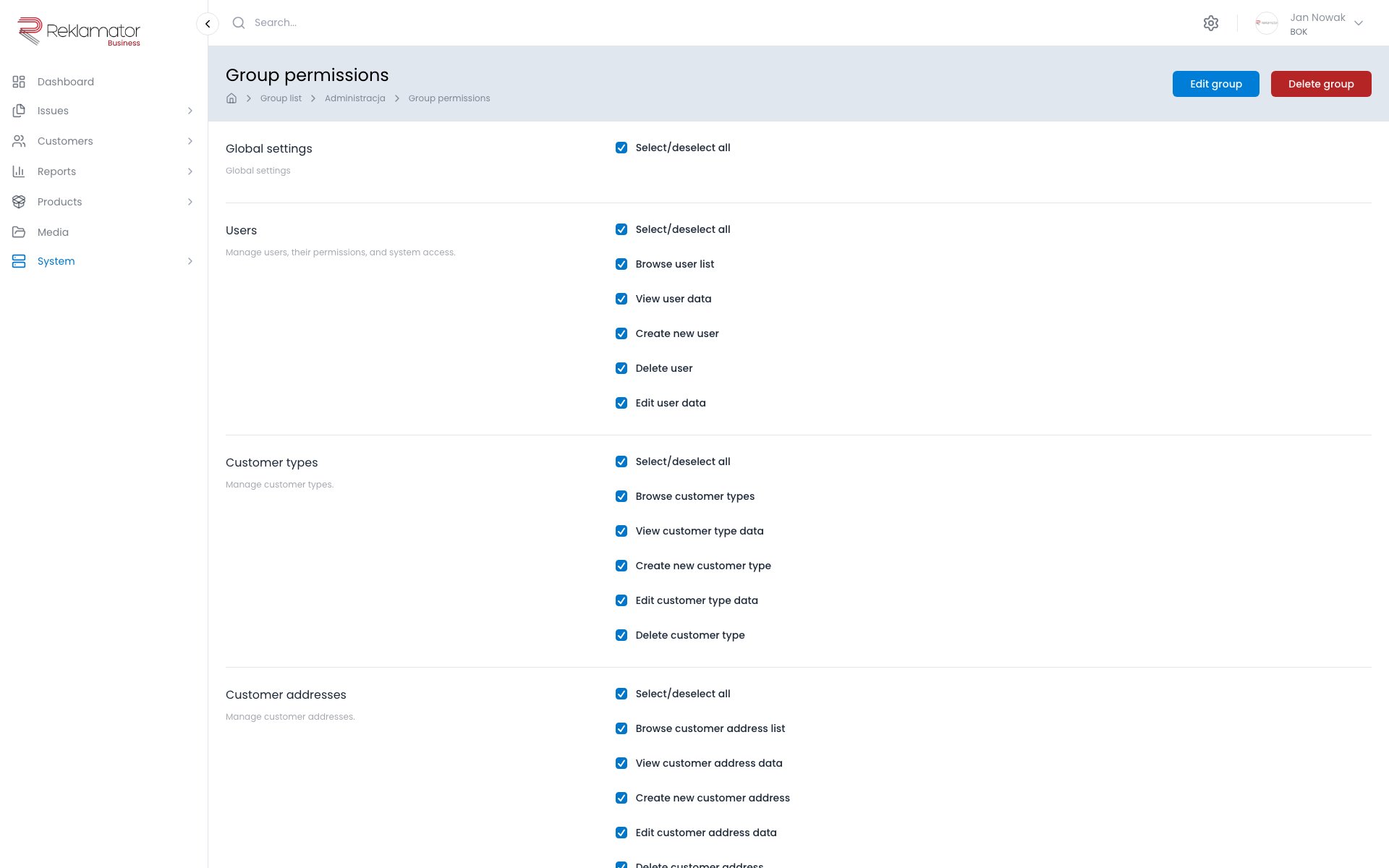
Permissions are configured on a dedicated page for each group. They are divided into modules, including:
- Issues, Issue history, Escalations
- Customers, Customer addresses, Customer contacts, Customer types
- Products, Product categories, Product types, Manufacturers
- Users, Groups, Permissions
- Workflow, Business rules, Templates, Application fields
- Shipments, Email inboxes, courier integrations (DPD, DHL, GLS, UPS and others)
- Account, Organisational units, System, Languages
Individual actions can be enabled or disabled per module. There is an option to select all permissions at once — either globally or per module.
Group user list
The group details page shows a list of users currently assigned to that group.
Assigning users
Users are assigned to groups when creating or editing an account under System → Users.
FAQ
Does a user need to belong to a group?
A user without an assigned group has no access to any system features.
Can a user belong to multiple groups?
Yes. Permissions from all assigned groups are cumulative.
Does changing a group's permissions take effect immediately?
Yes. Changes to a group's permissions take effect immediately for all users belonging to that group.
How many permission groups can I create?
There is no limit to the number of groups. It is recommended to create groups corresponding to roles in your organisation (e.g. Operator, Manager, Administrator).
Can I copy permissions from one group to another?
There is no group copy function. The permissions of a new group must be configured manually.
Can a group be deleted?
Yes. Deleting a group is irreversible. Users assigned exclusively to the deleted group will lose access to the system.